
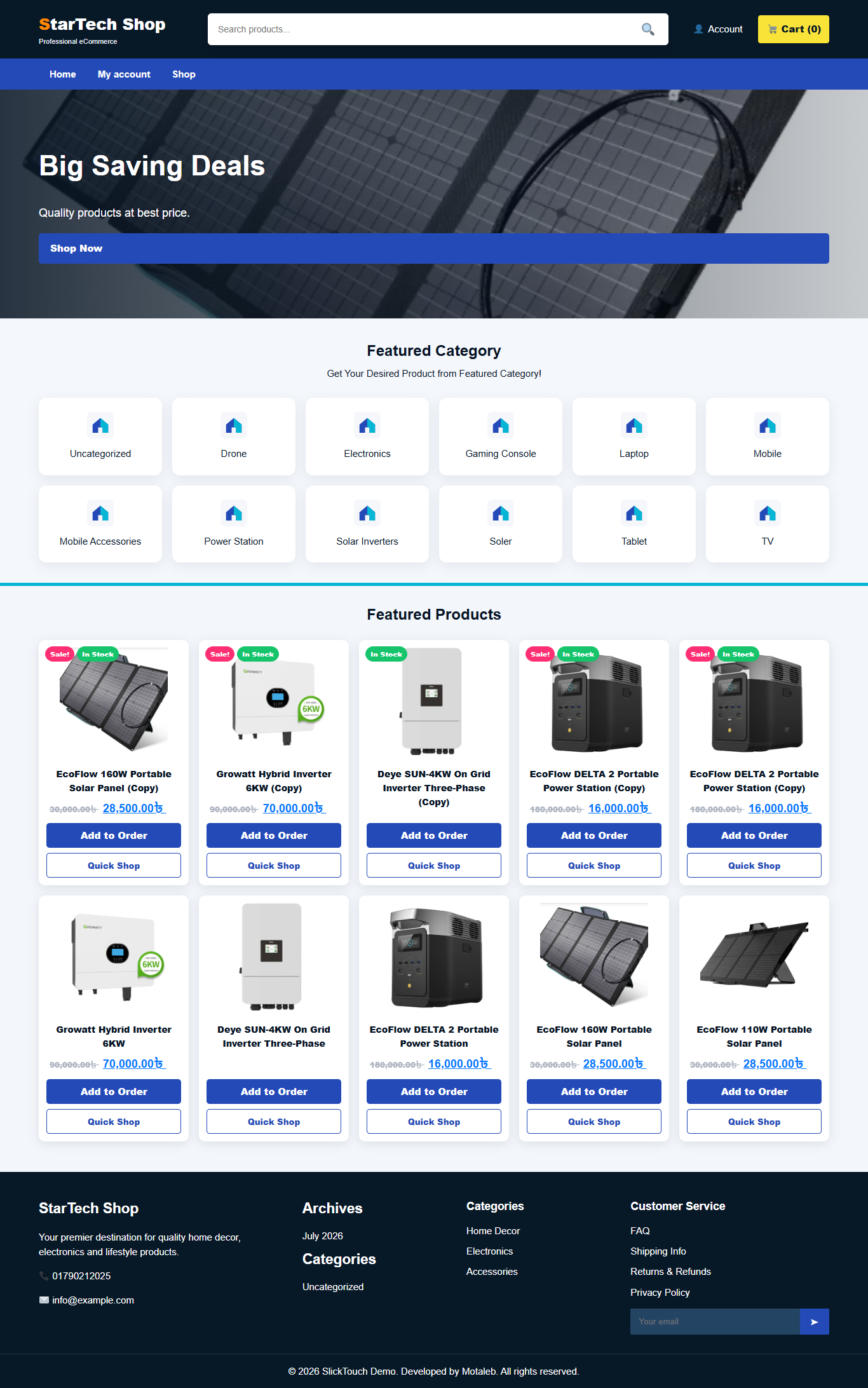
Description
StarTech Shop by SlickTouch Documentation
WooCommerce shop theme powered by Motaleb. This documentation explains installation, plugins, customization, WooCommerce setup, demo import, and Envato upload notes.
1. Installation
- Login to WordPress Dashboard.
- Go to Appearance > Themes > Add New > Upload Theme.
- Upload startech-shop-slicktouch.zip and activate it.
- Go to Appearance > Customize to configure logo, colors, header, footer, slider and shop options.
2. Required & Suggested Plugins
| Plugin | Status | Purpose |
| WooCommerce | Required | Products, cart, checkout, orders |
| Elementor | Suggested | Homepage edit |
| One Click Demo Import | Suggested | Demo import |
| YITH WooCommerce Wishlist | Suggested | Wishlist |
| Variation Swatches | Suggested | Product variations |
| Contact Form 7 | Suggested | Contact form |
3. Demo Import
Install One Click Demo Import, then go to Appearance > Import Demo Data. If demo data does not appear, manually create homepage, products, menus and widgets.
4. Theme Customization
Customizer options include logo, favicon, footer logo, site name, primary color, secondary color, title color, heading color, text color, link color, hover color, button color, font family, header style, slider, menu, footer HTML, product row, products per page, quick shop and coupon bar.
5. Homepage with Elementor
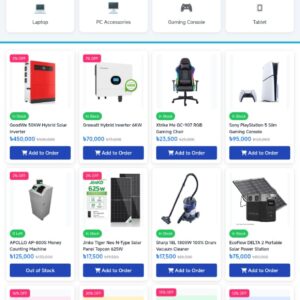
Create a Home page, edit with Elementor, then set it as homepage from Settings > Reading. The theme front page includes hero slider, featured categories, product grid and footer design inspired by the provided reference.
6. WooCommerce Setup
- Run WooCommerce setup wizard.
- Create Shop, Cart, Checkout and My Account pages.
- Set currency, payment, shipping and tax settings.
- Add products with image, price, sale price, category and stock status.
7. Shop Filter & Product Settings
Use WooCommerce widgets for category and price filters. Add them to the Shop Sidebar from Appearance > Widgets. Product row and per-page settings are controlled from the Customizer.
8. Footer HTML Links
Footer content supports HTML links from the Customizer. Example: <a href=”https://example.com/privacy-policy”>Privacy Policy</a>
9. Cart, Checkout, My Account and Invoice
The theme includes styling for WooCommerce cart, checkout, account and order pages. For professional PDF invoices, install a WooCommerce PDF invoice plugin and style it from plugin settings.
10. Envato Upload Notes
- Upload only the installable theme ZIP as the main WordPress theme file.
- Include documentation, licenses, changelog, demo files and child theme in the buyer package.
- Run Theme Check and review WordPress coding standards before submission.
- Make sure all fonts, icons and images are properly licensed.
11. Support
Theme Name: StarTech Shop by SlickTouch
Powered by: Motaleb
Recommended PHP: 8.0+
Recommended WordPress: latest stable version
Reviews
There are no reviews yet.